Case Study 2
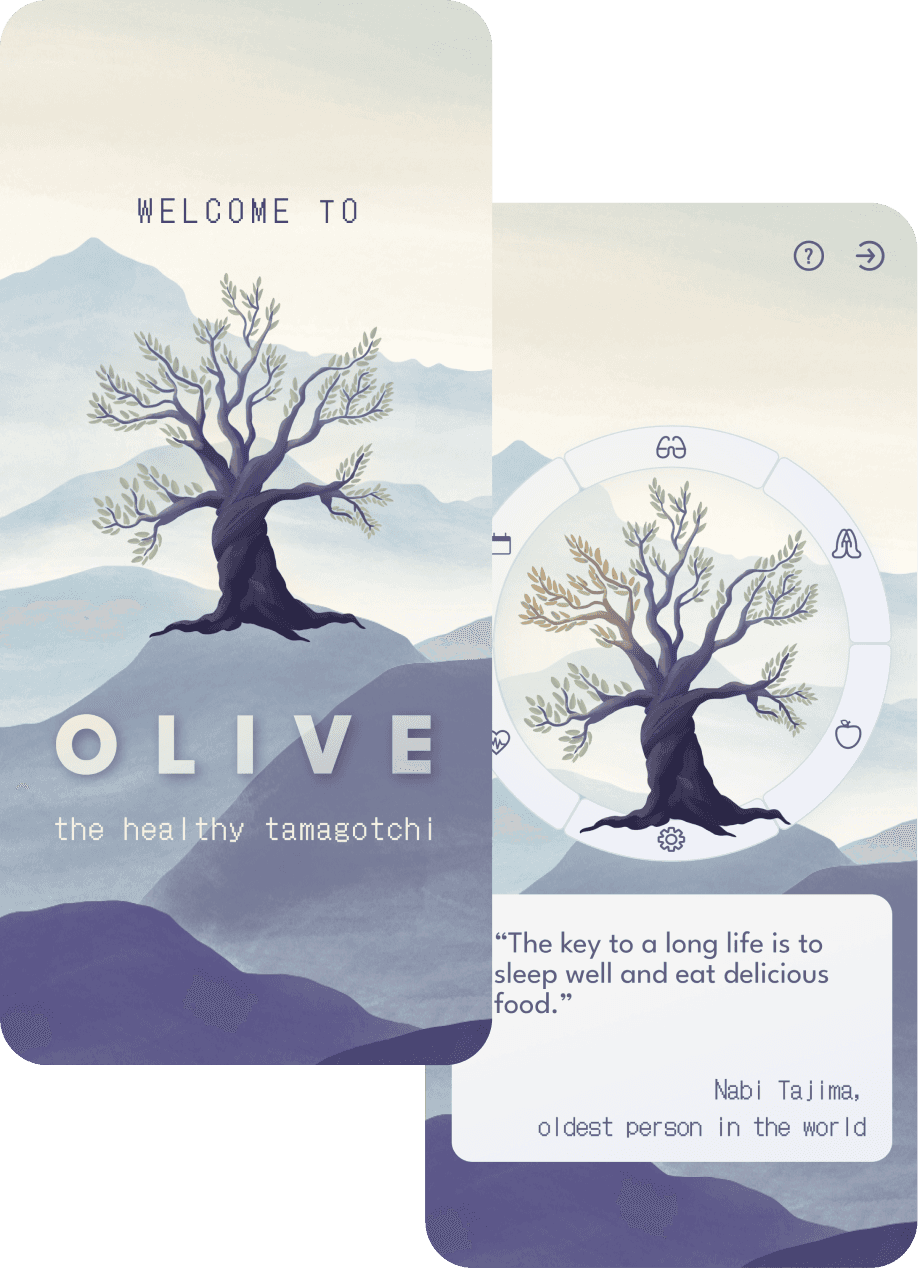
OLIVE - the healthy tamagotchi
… about learning UX-Design Principles while creating a holistic health device
Eductional
2022

Overview
Product
Product
Product
Responisive application with the ability to fulfill a holistic need of managing and improving all health-related issues of the user
My Role
My Role
My Role
UX Strategy
UX Research
UX Design
UI Design
- short: UX Team of One!
Team
Team
Team
Design: me
Mentoring: Polina Kadkina (Careerfoundry)
Tools
Tools
Tools
Figma

Miro

Optimal
Workshop
Usabilty
Hub

Procreate

Material
Design

Vidyard

slack
Methods
Methods
Methods
Exploration
Problem Statement
Competitive Analysis
Interviews
User Stories
User Personas
Affinity Mapping
Ideation
User Journeys
Task AnalysesUser Flows
Sitemap
Card Sorting
Low-Fidelity Wireframes
Mid-Fidelity Prototype
Testing
Usability Tests
Preference Test
Iteration Cycle
Final Design
High-Fidelity Prototype
Style Guide
Design System
Objective
Objective
Objective
This project has a special place in my resume, as it marks the beginning of my UX Design journey. During my educational 6-month lasting course I got profound insights into the methods of User Experience Design.
Read about my detailed design process below.
Ready for a deeper look?
This case study includes long-form content, complex layouts, and detailed visuals that are best experienced on tablets or desktops.
On mobile, you’ll find the overview and a short walkthrough video — perfect for getting the big picture.
bigger device
bigger device
on a
and read this
and read this
to your eyes
to your eyes
Be nice
Be nice
Exploration
Understanding the Problem
The project brief described a product meant to improve users’ wellbeing by helping them “stay on top of their health needs.”
Rather than creating yet another optimization tool, I aimed to design something more sensitive, holistic, and sustainable — an experience that supports rather than overwhelms.
Through early reflections, it became clear that many health products focus on goals, numbers, and discipline, leaving people confused about what “health” even means.
PROBLEM STATEMENT
Health interested people NEED an overall tool to educate themselves about what an actually healthy lifestyle is, BECAUSE all of these consume-oriented health devices make people confused about this topic and are not sustainable.
WE KNOW THIS TO BE TRUE, WHEN WE SEE that people can overview their health in the application and have better access to information, guidelines and features, that are scientificly proven.
Inspiration: The “Chicken Story”
A conversation with a friend resurfaced during this phase:
She once told me that health is like caring for three chickens — body, mind, and soul — each needing attention.
This metaphor unlocked the conceptual foundation of my project.
“So what actually belongs to health?”
“Why not feed some chickens?”
“Let’s make a Tamagotchi.”
This playful yet meaningful idea became Olive — a healthy Tamagotchi represented as a growing olive tree.
Market Analysis
To understand existing approaches, I conducted a SWOT analysis of two competitors:
Barmer
a health insurance app
Fabulous
a lifestyle & habit-building app
Both revealed gaps around emotional experience, sustainability, and educational clarity — spaces Olive could fill.

UX Design Process
Research & Empathy
I conducted three user interviews with millennials familiar with Tamagotchis and beginning to invest more in their health.
Affinity mapping revealed three consistent insights:
1
Health needs differ per person, but lifestyle context matters.
2
People want to save time, not spend it navigating health tools.
3
There is a strong desire for simple, reliable health education.
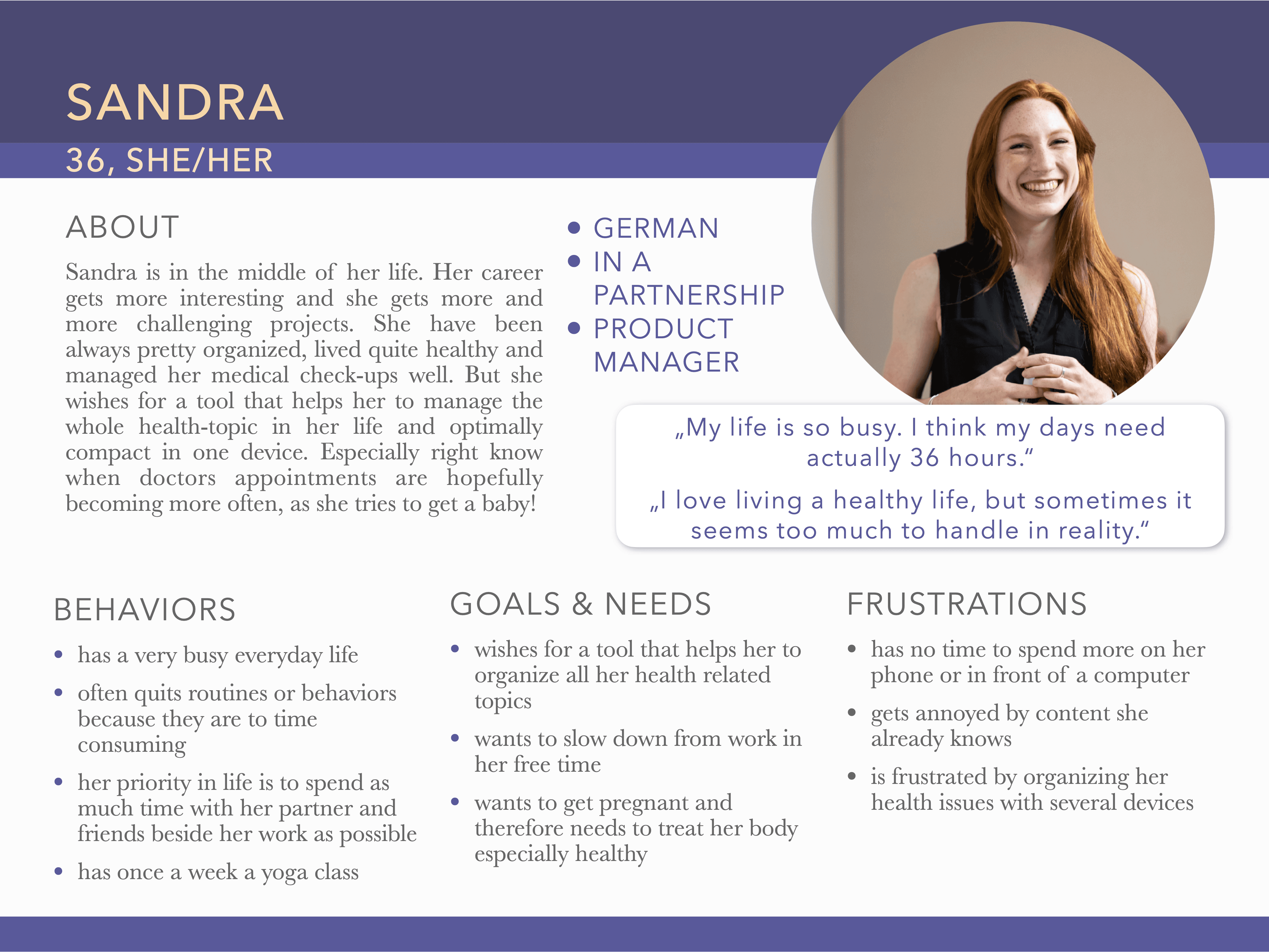
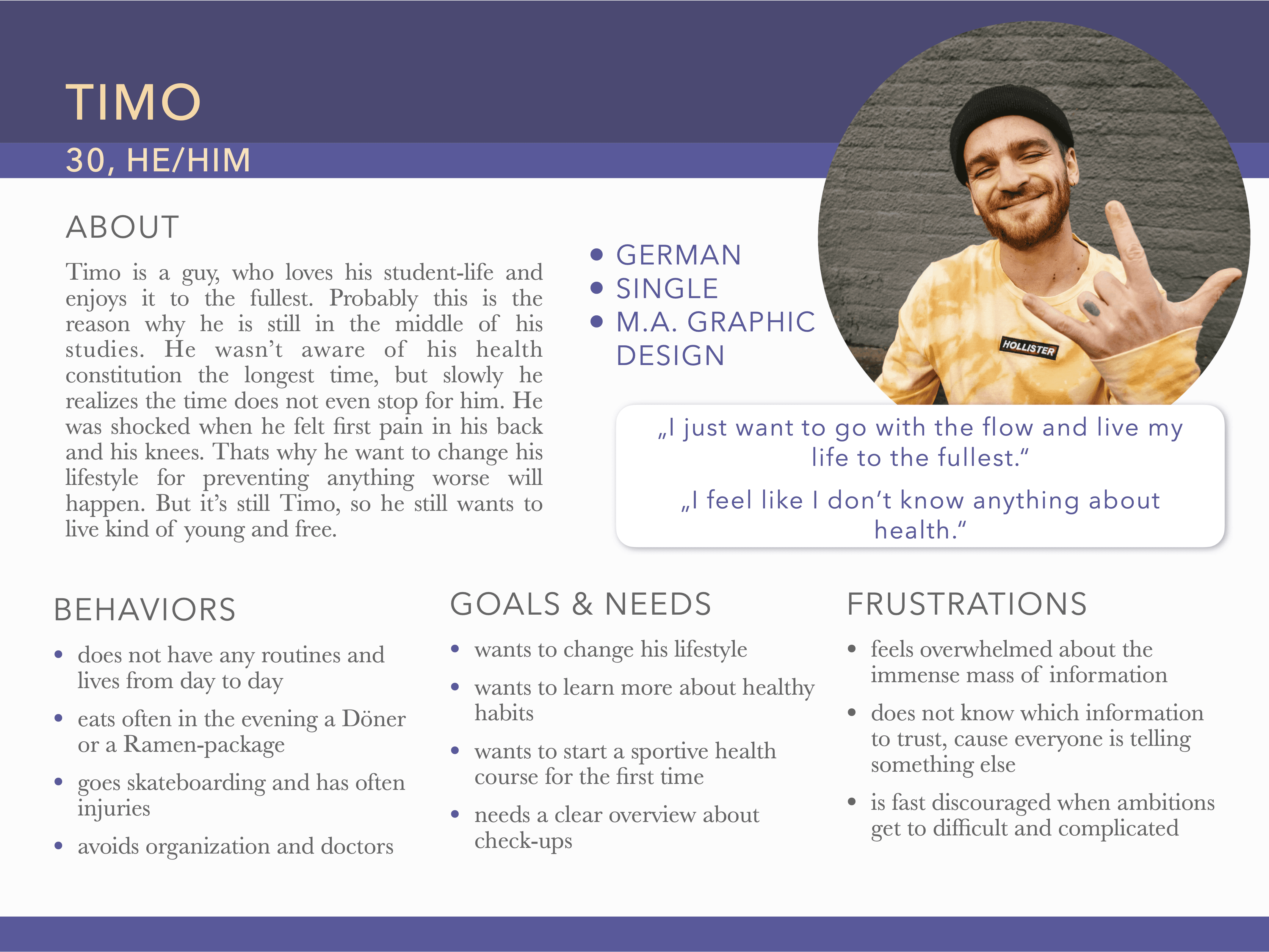
From this, I created two personas, Sandra and Timo. Sandra became the primary persona, while Timo reminded me to keep the app optional and non-intrusive.
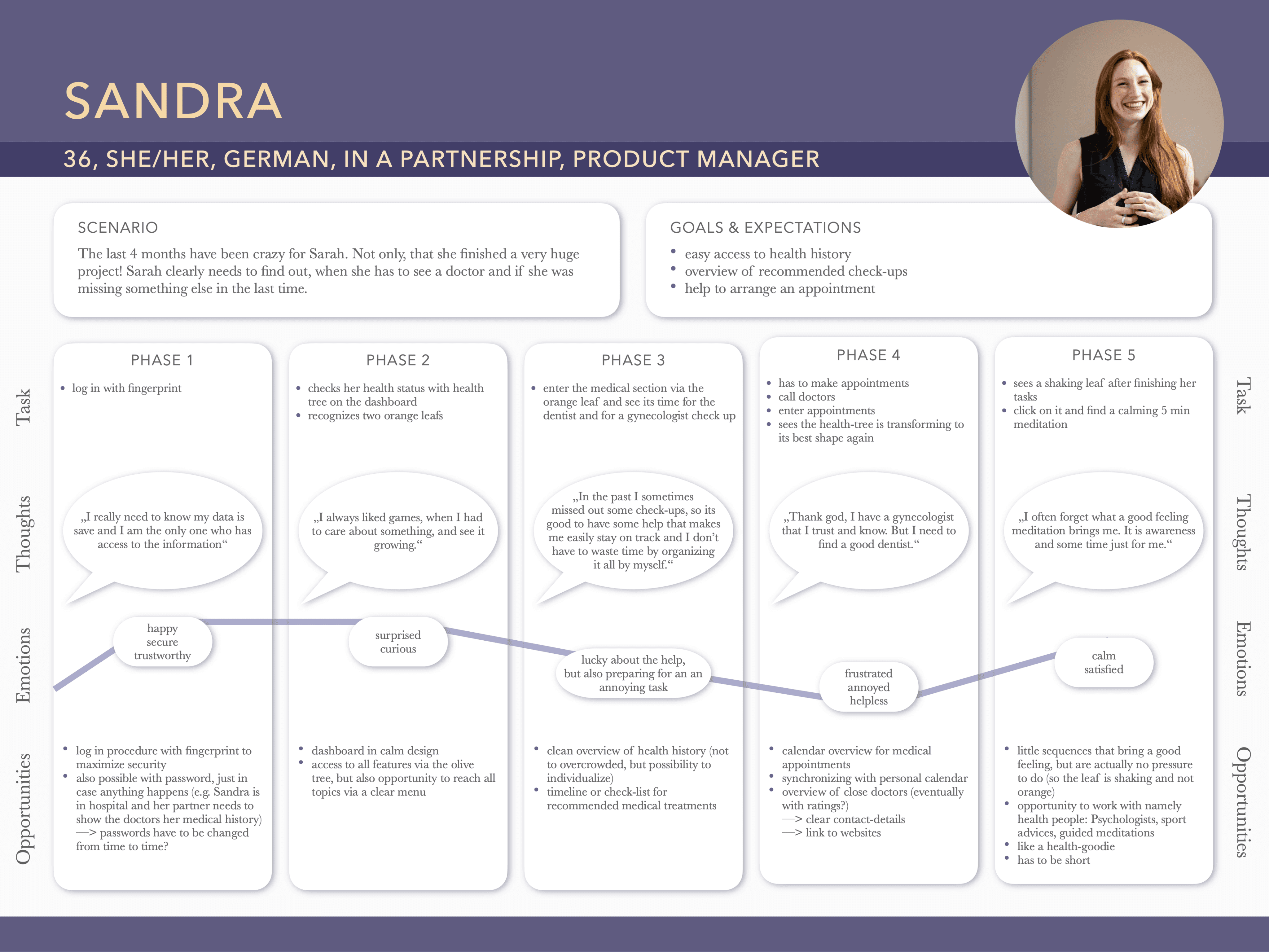
I mapped Sandra’s user journey, analyzed her tasks, and developed the first user flows.
Structure & Concept Development
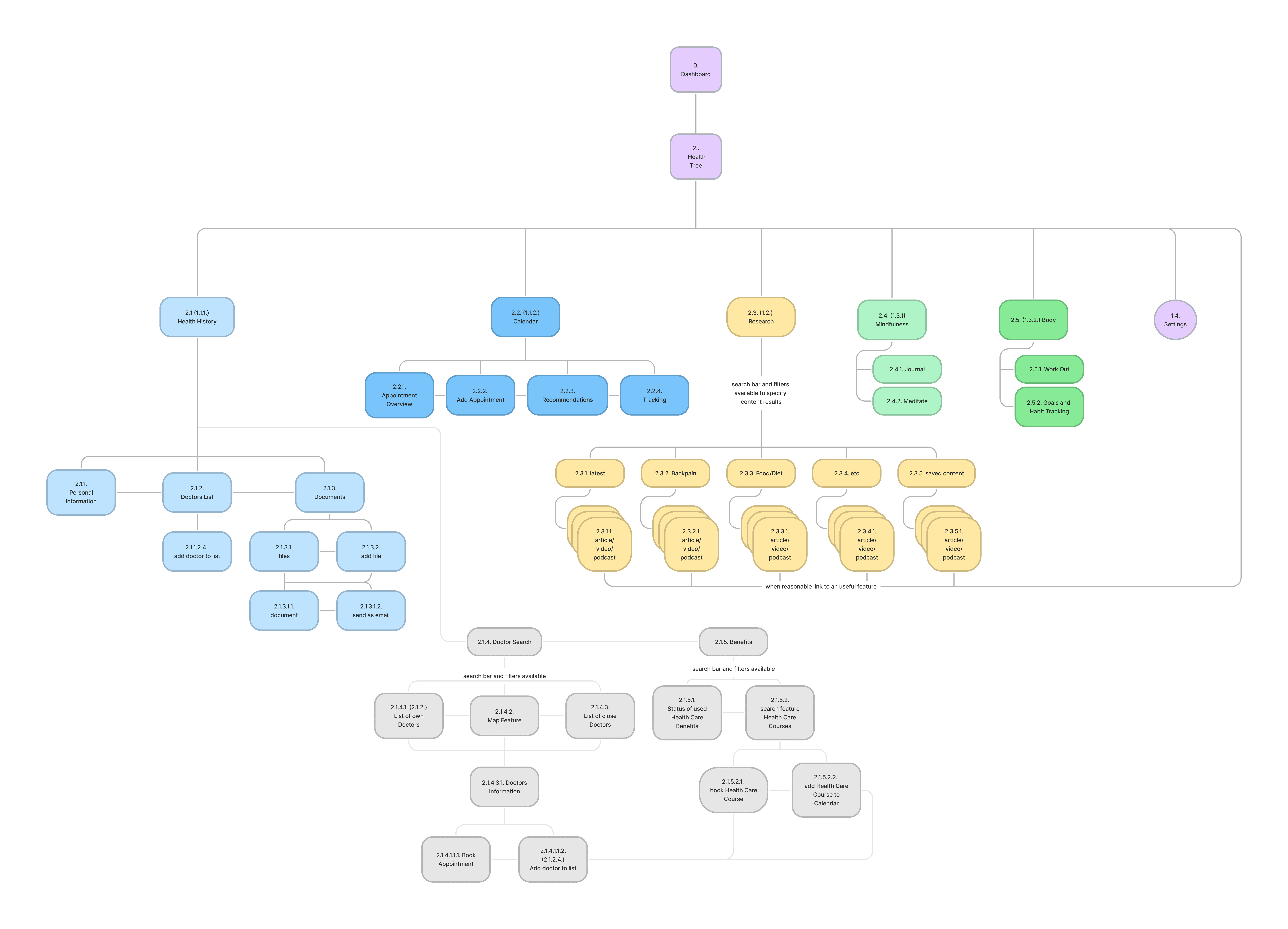
With all of this information and empathy work I started to develop the first sitemap for this project.
In a second step Card sorting sessions showed widely differing categorizations, which allowed me to design feature groups aligned with the metaphor of the health tree. A refined sitemap made space for future growth while narrowing the MVP down to:
a calendar,
an educational area,
and a mindfulness section.
This was a great outcome, that made this project manageable. To say it in the words of my father: "Better a bit of good sauce than a lot of bad sauce." (Yes, he is a chef.)
Refined
Sitemap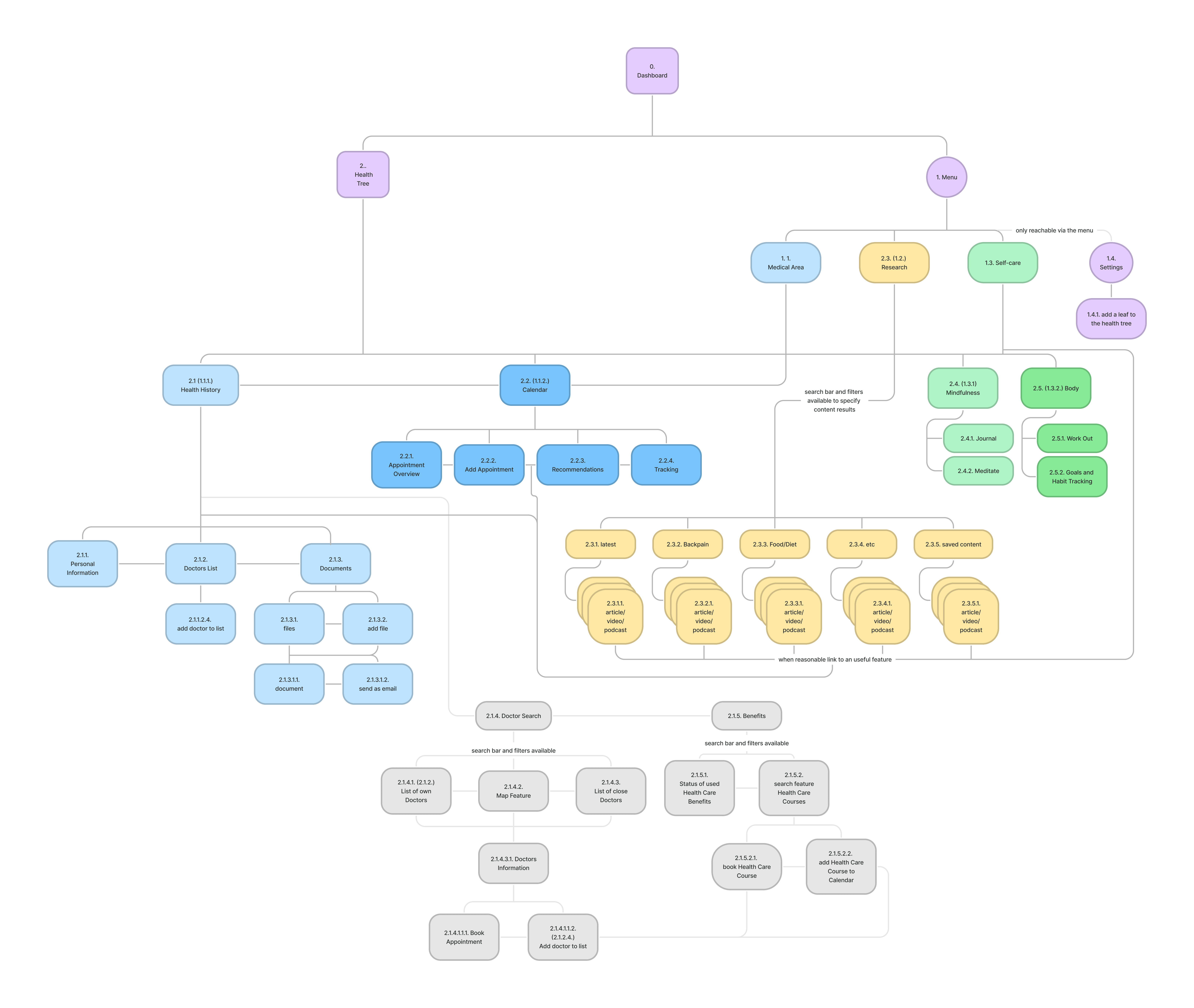
Initial
Sitemap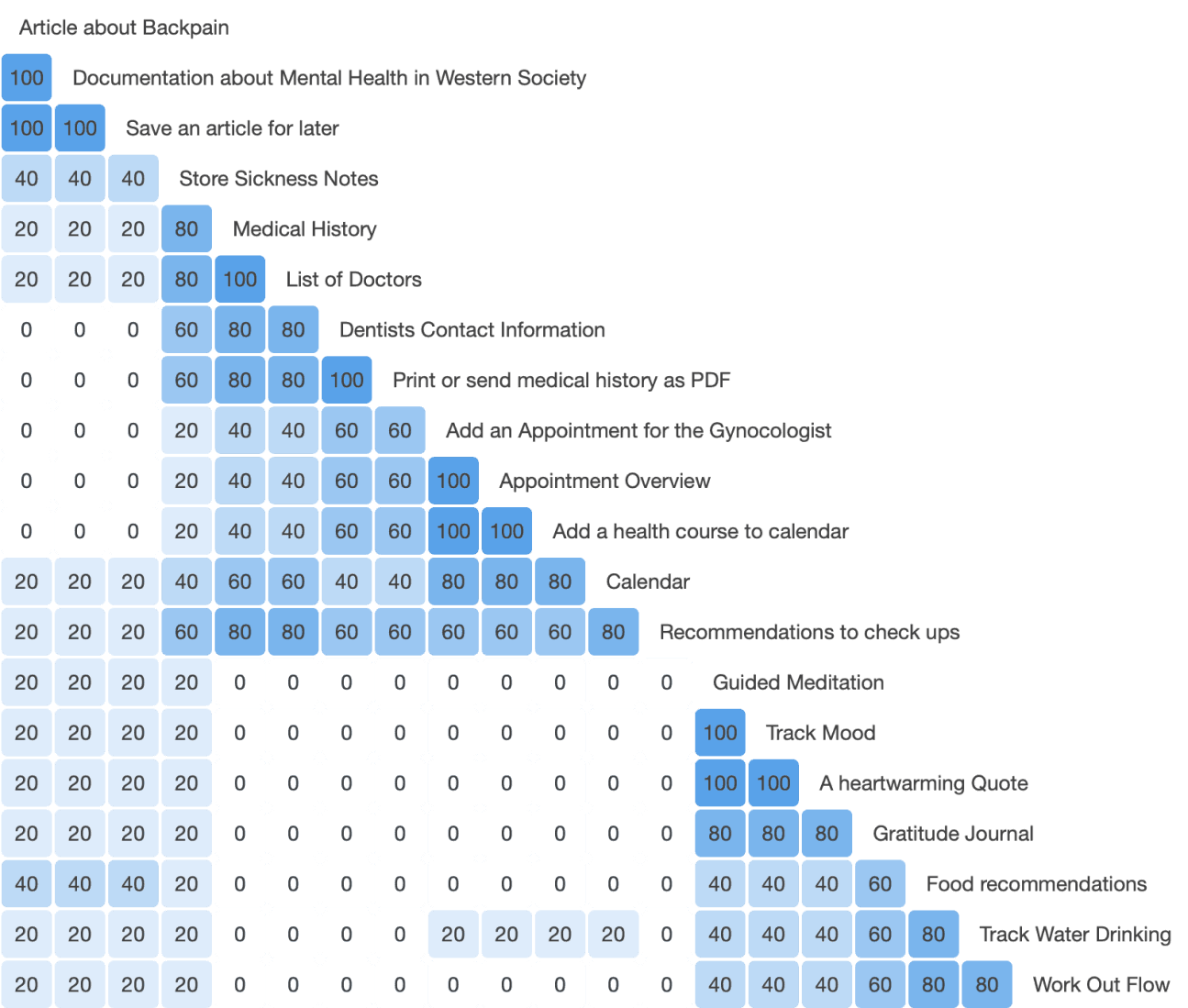
Card Sorting
Similarity Matrix shows no relevant tendency, what gave me freedom to align categorization with my intended concept.
Refined
SitemapInitial
SitemapCard Sorting
Similarity Matrix shows no relevant tendency, what gave me freedom to align categorization with my intended concept.
Refined
SitemapInitial
SitemapCard Sorting
Similarity Matrix shows no relevant tendency, what gave me freedom to align categorization with my intended concept.
Refined
SitemapInitial
SitemapCard Sorting
Similarity Matrix shows no relevant tendency, what gave me freedom to align categorization with my intended concept.
Decision For A Nevigation pattern
The biggest challenge was integrating the health tree into the UI. I explored three navigation concepts:
Idea 1
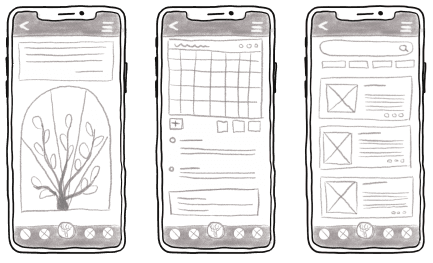
bottom navigation pattern is common and familiar
the health tree as the center of the device would become obsolete
Vs
Idea 2
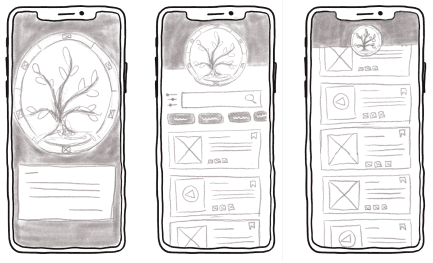
health tree as navigation pattern is in the heading and slideable for space saving purpose
the navigation at the head would make it harder to reach
Vs
Idea 3
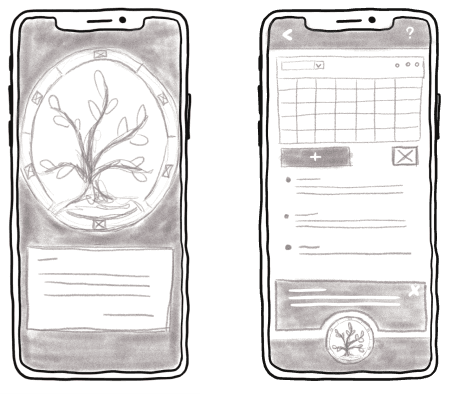
bottom navigation pattern in form of the health tree tamagotchi
this would take a lot of precious space
After weighing the pros and cons and consulting my course mentor, I decided for option 3. Bringing the health tree to the bottom would make it easy to reach. As a home button every navigation would lead via the big health tree in the home screen. This would give the device a clear task flow and puts the tree in the center of attention.
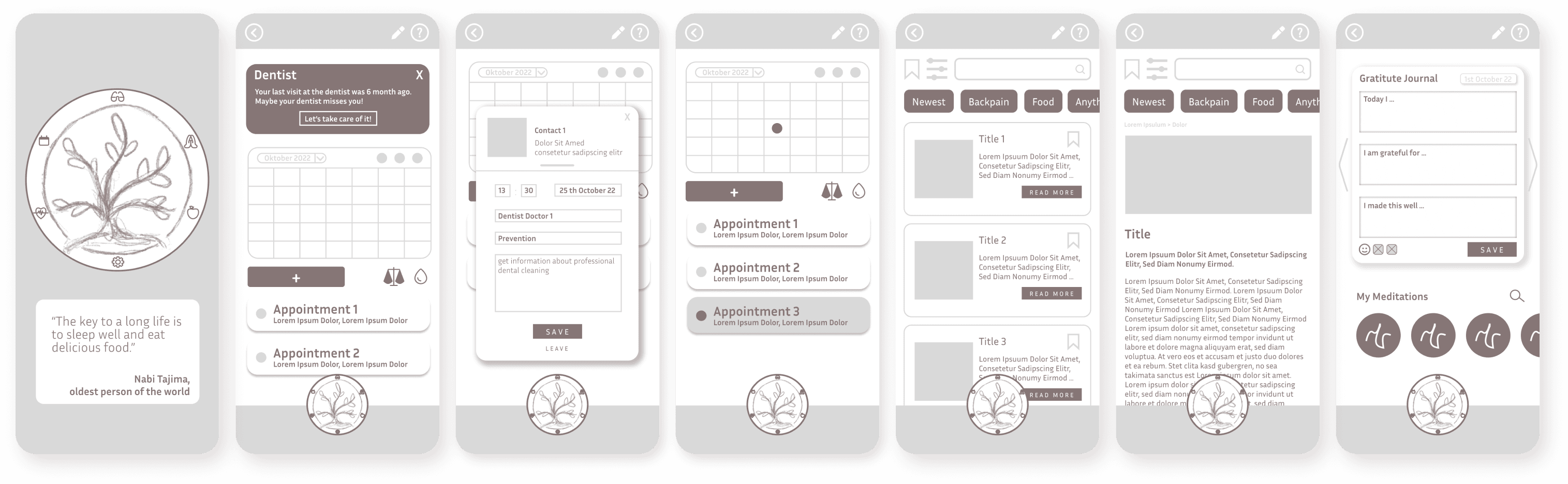
Wireframing from Low- to Midfidelity
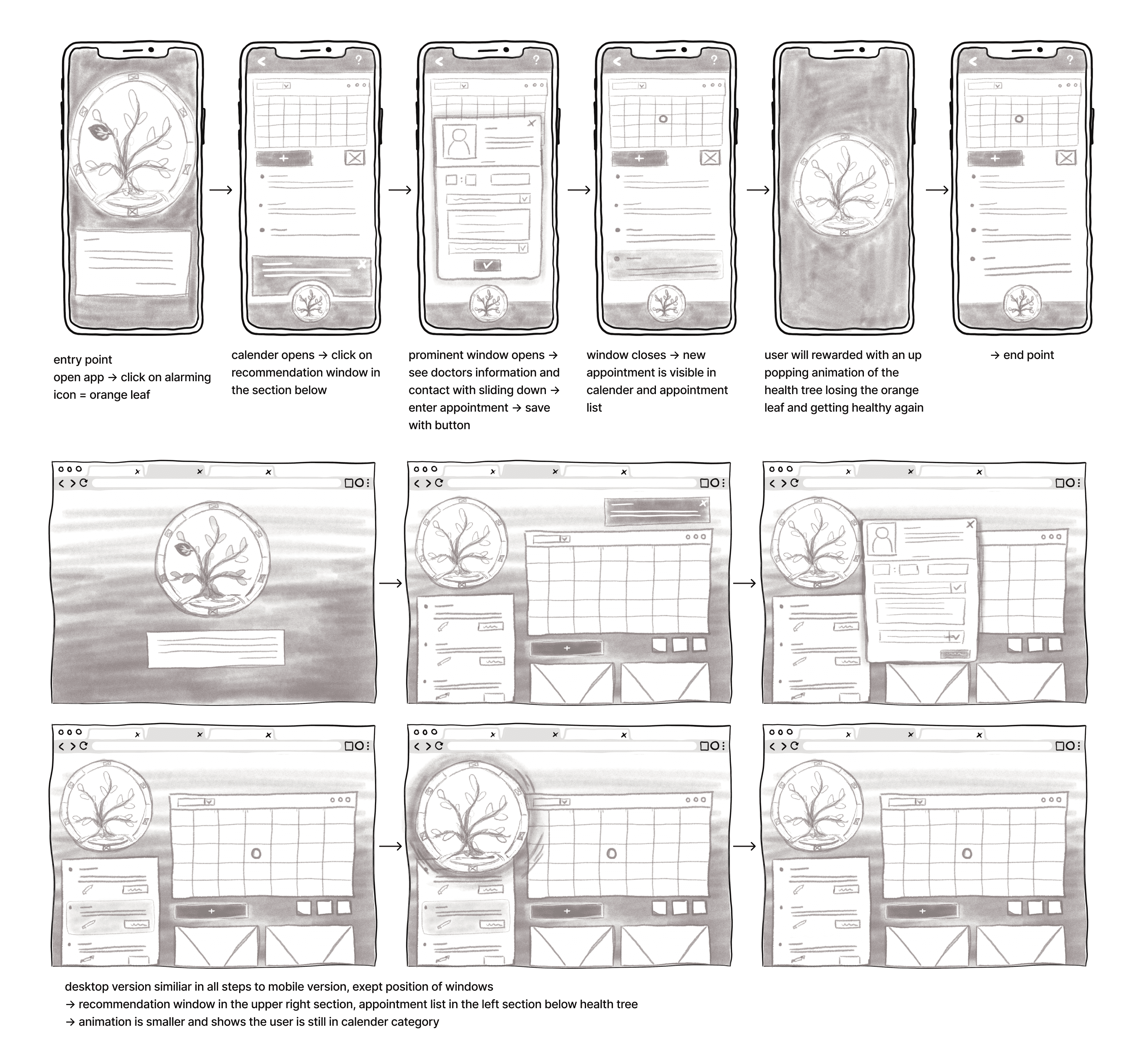
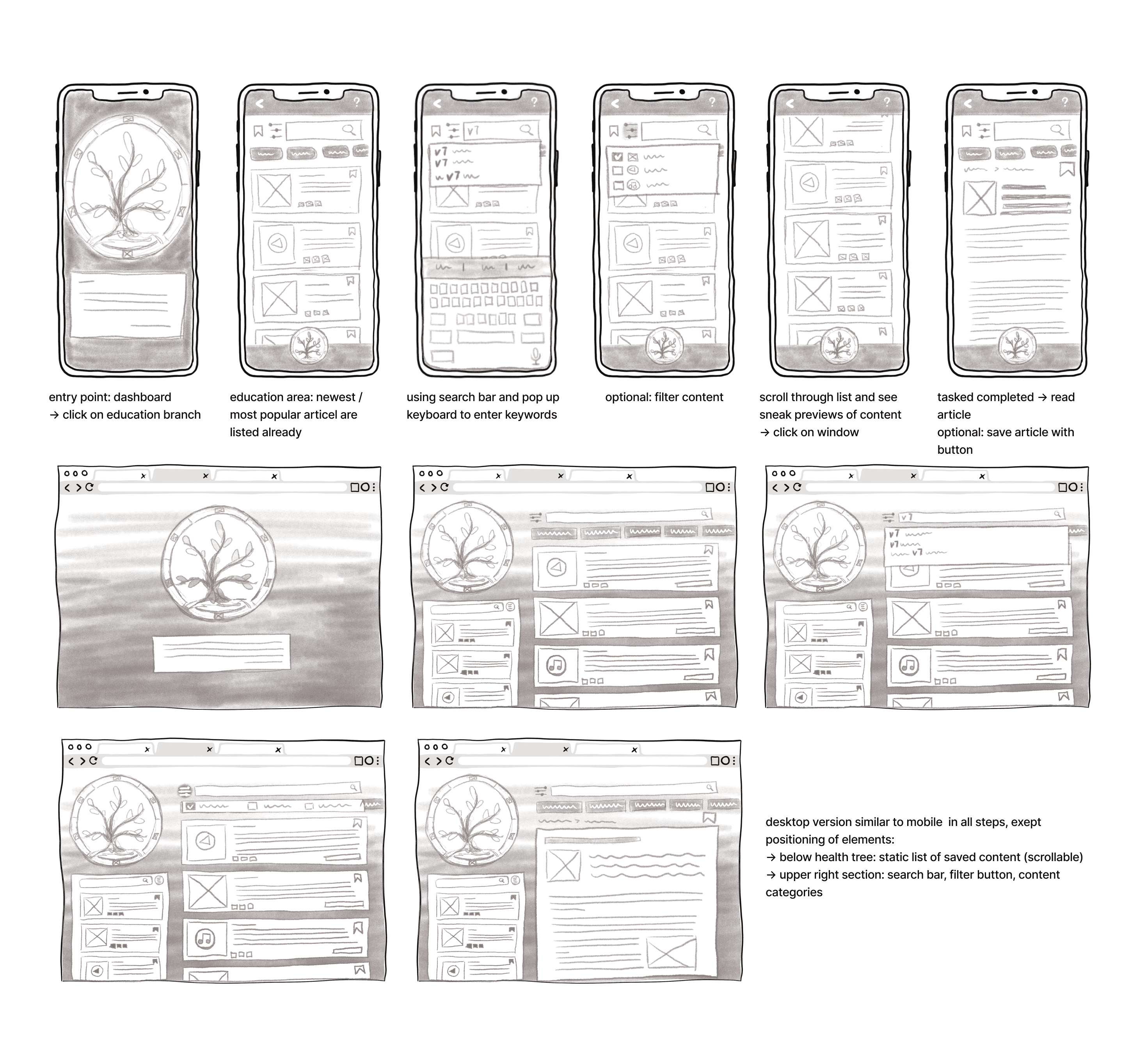
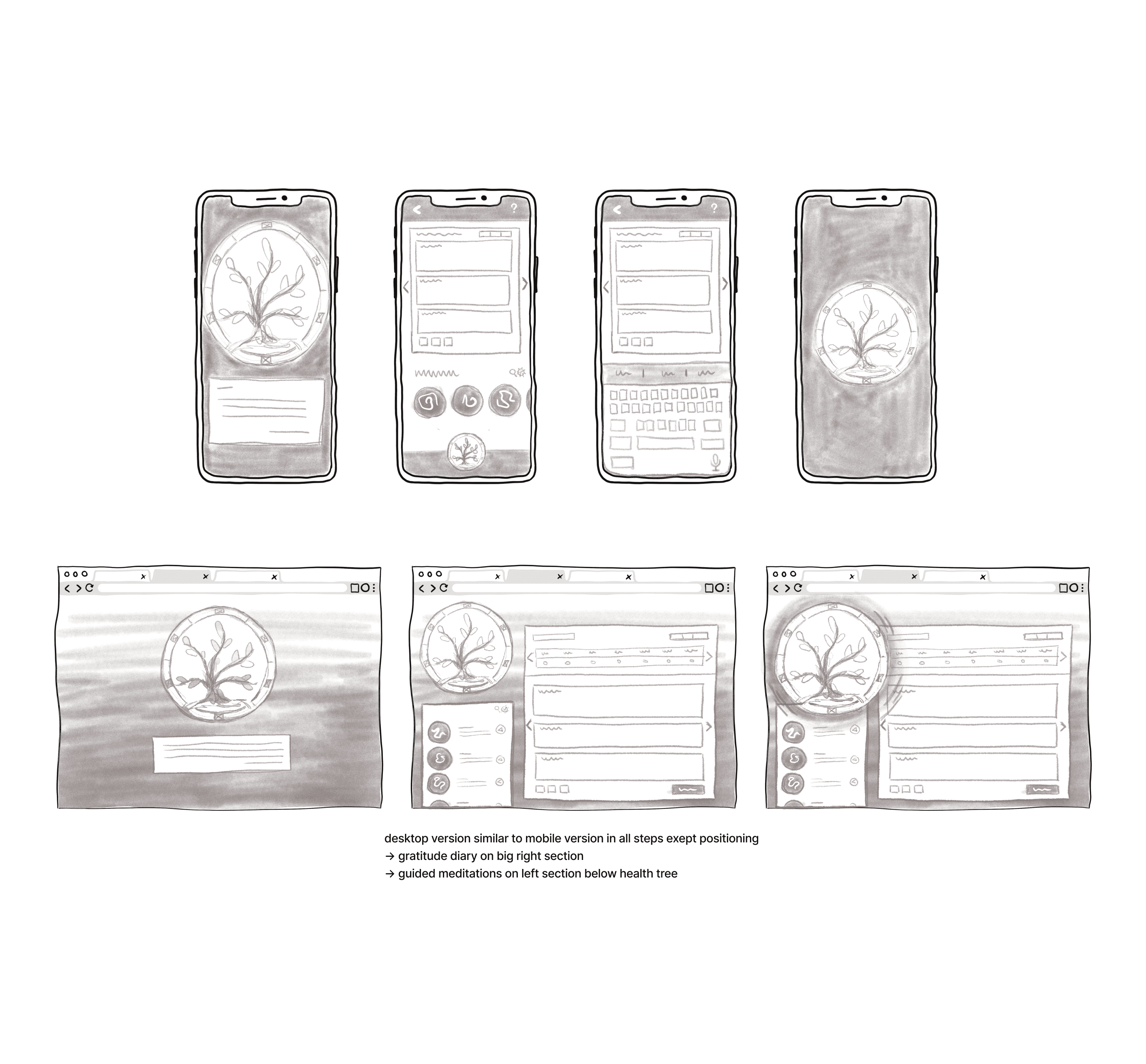
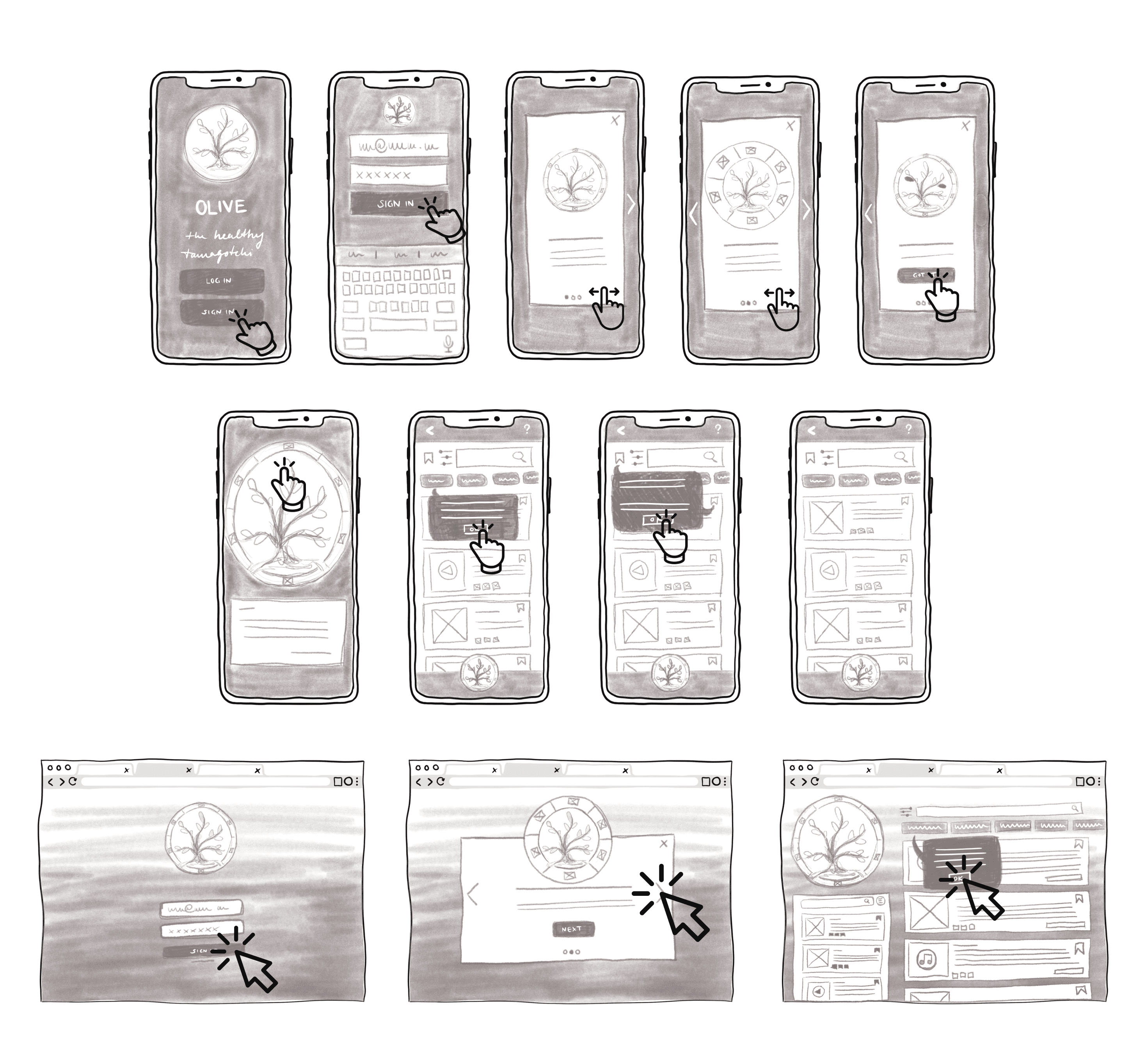
Once this decision was made the big sketching session started. I created Wireflows for the main tasks of this product to be:
1
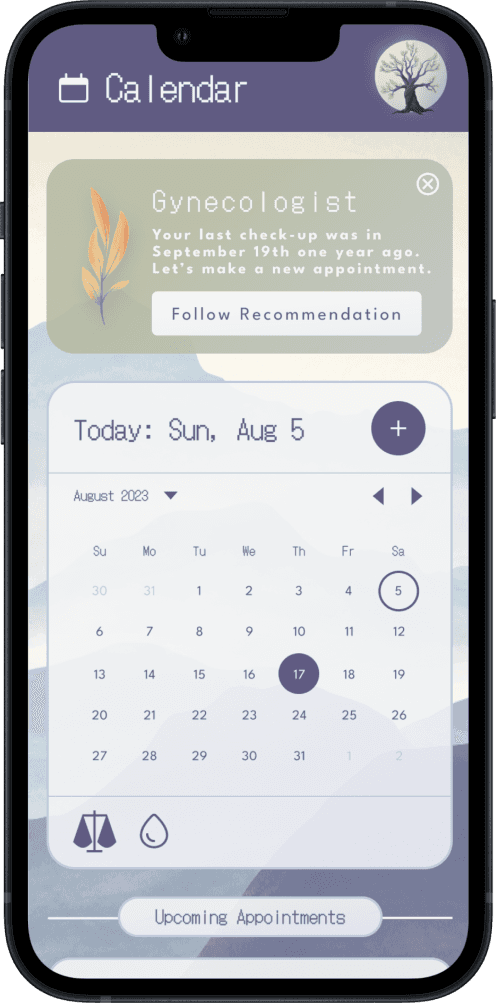
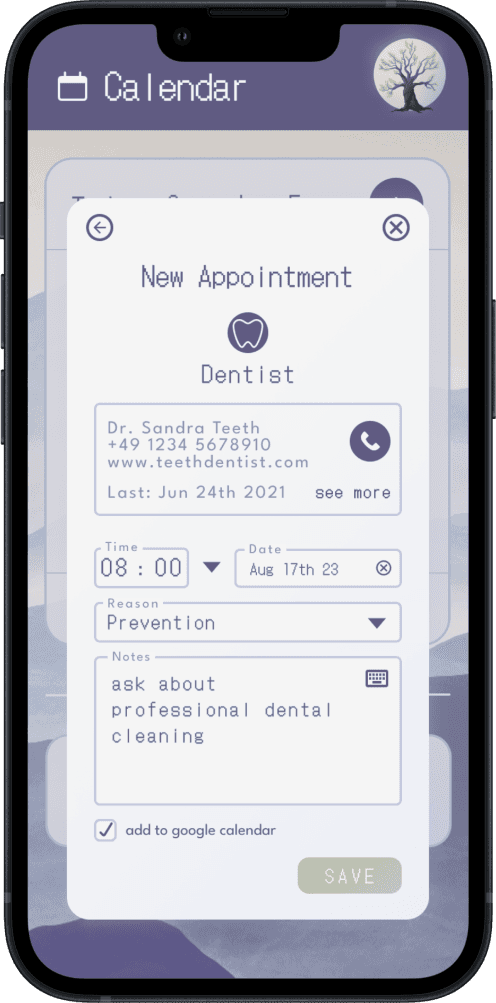
Adding an Appointment/ Follow a Recommendation
2
Search an Article about a Health Topic
3
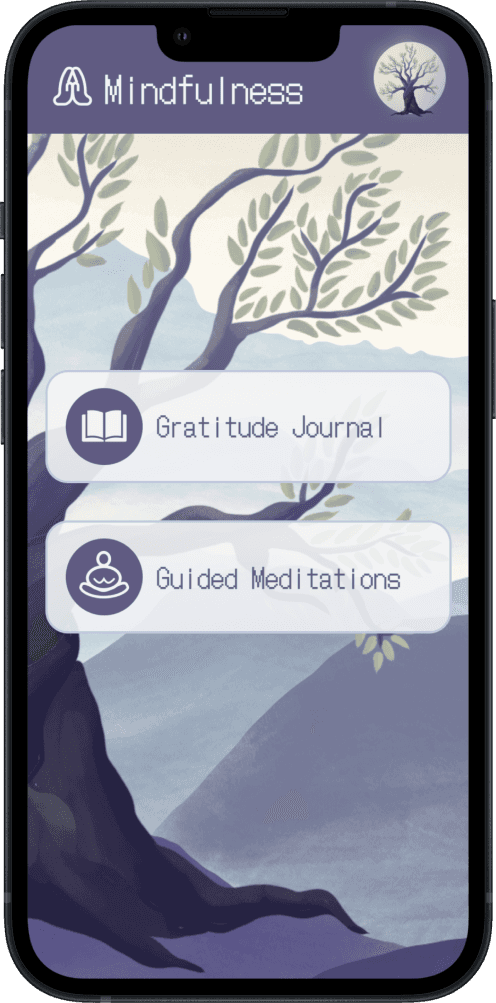
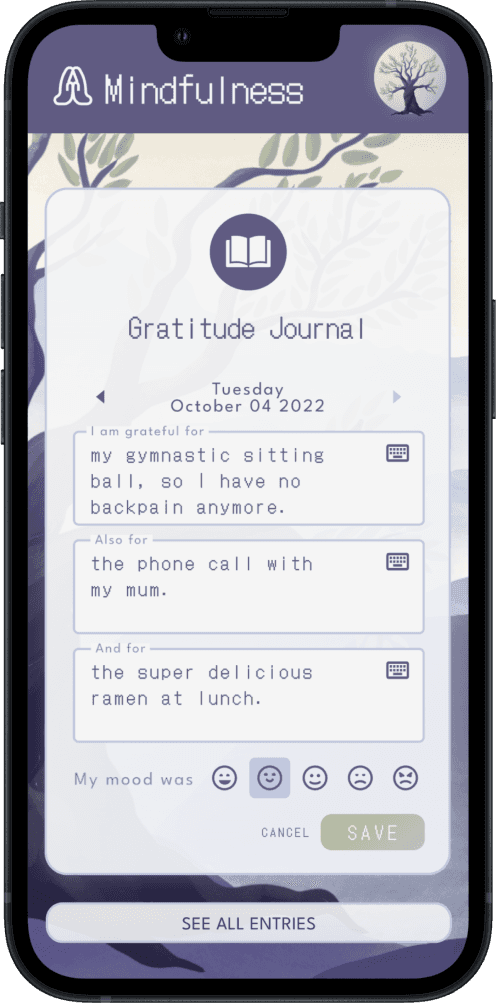
Practise Mindfulness with the Gratitude Journal
4
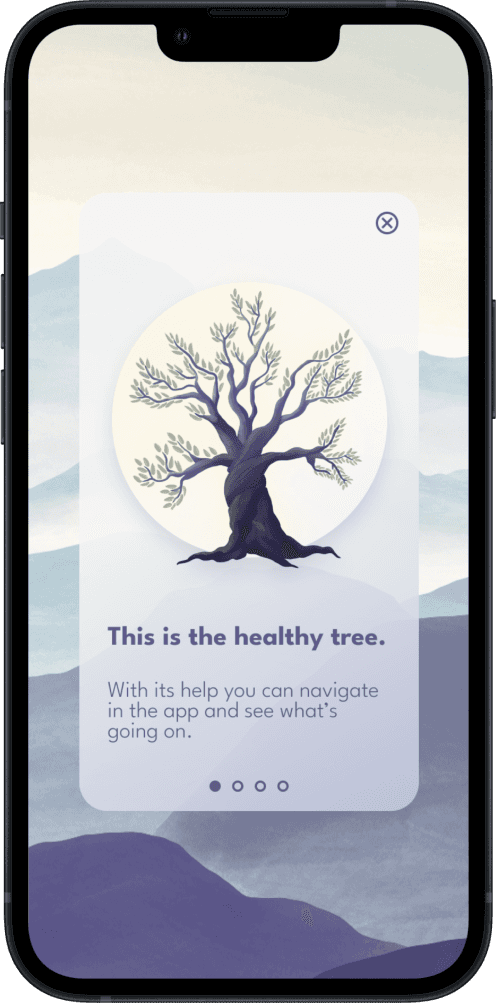
Onboarding Process
As I saw my ideas come to a possible reality, the moment had come to create a mid-fidelity prototype, that would be the basis of my project and was ready to get tested.
Usability & Preference Testing
I conducted moderated usability tests with six participants. It was eye-opening what issues I did not see and that led me into the right direction for a great user experience. However I found some issues, I was glad to explore participants expressed strong enthusiasm for the concept and appreciated the sensitive view on health.
A preference test later determined a clearer, modern visual style as the winning direction.
Test Results
Issue 1
Meaning of the category icons is not clear.
Issue 2
Home Button is not used.
Issue 3
“Add Appointment”-Task Flow is unclear.
Issue 3
Hierarchiy of Education Header is disharmonic.
Conclusion
Most of the participants expressed a high interest in the product. They learned how to use the product fast and were excited about the final result. The participants were convinced about the success of the product and its concept after deleting the discovered frictions, as it promises a huge room for adjustments and personalizations. It was also expressed that the participants appreciated the sensitive view on health and the highlight of mental health as important as physical health in this concept.
Iterating & Refining
Based on test results, I refined the following:
Moving the home button to the header and simplified task flows
Clarifing CTA labels
Improving hierarchy in the education header
Redesigning the appointment form using visual design, Material Design guidelines, and accessibility principles
These refinements removed frictions and strengthened usability.
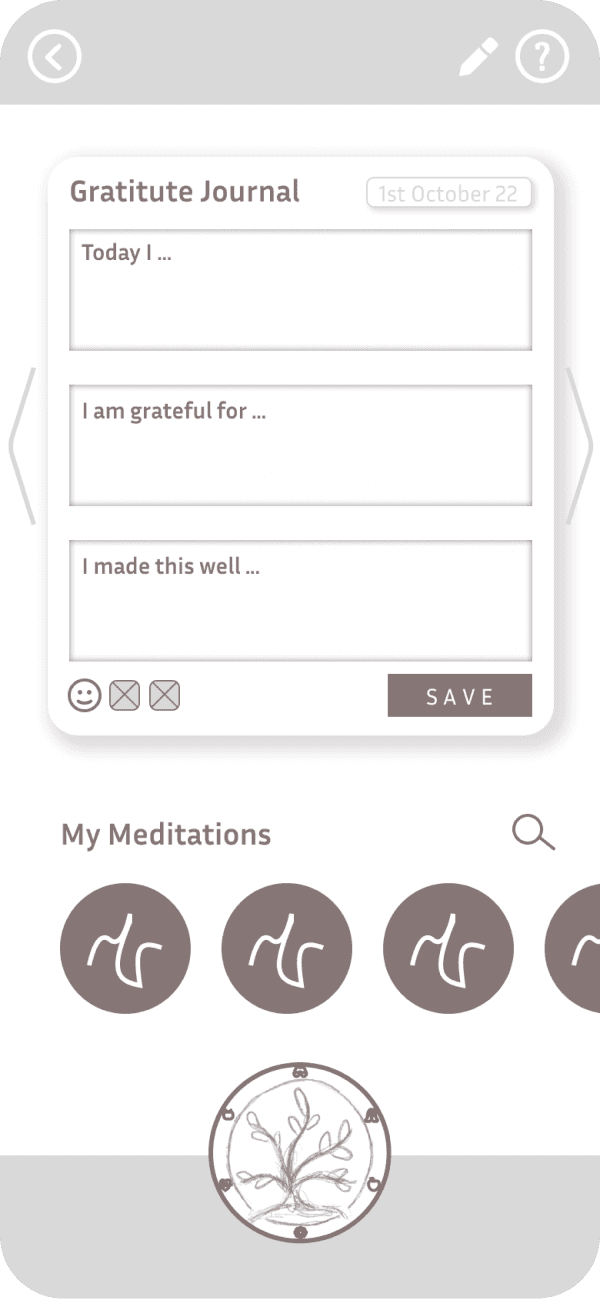
1 Reworking the Navigation Pattern
Before
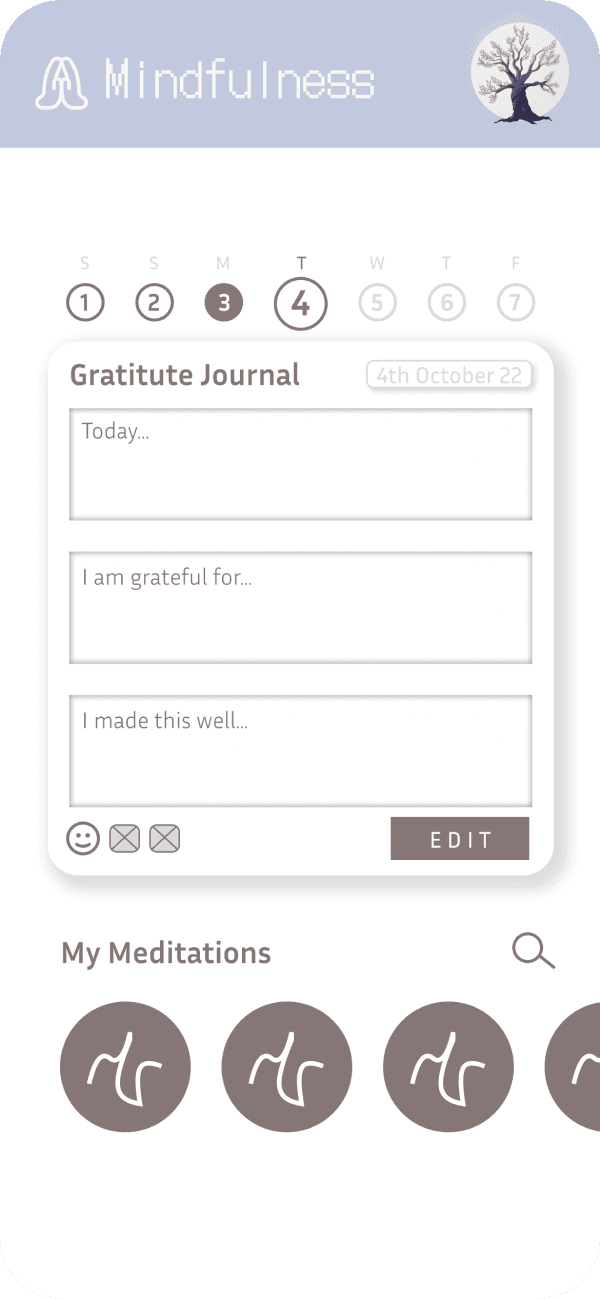
After
One observation in the usability tests was the participants were looking for a home button in the heading of the screen. Therefore nearly all of the participants used a path with the back button to reach the home screen.
By bringing the actual home button to the head of the screen I went after the intuition of my participants.2 Reworking the CTA
Before
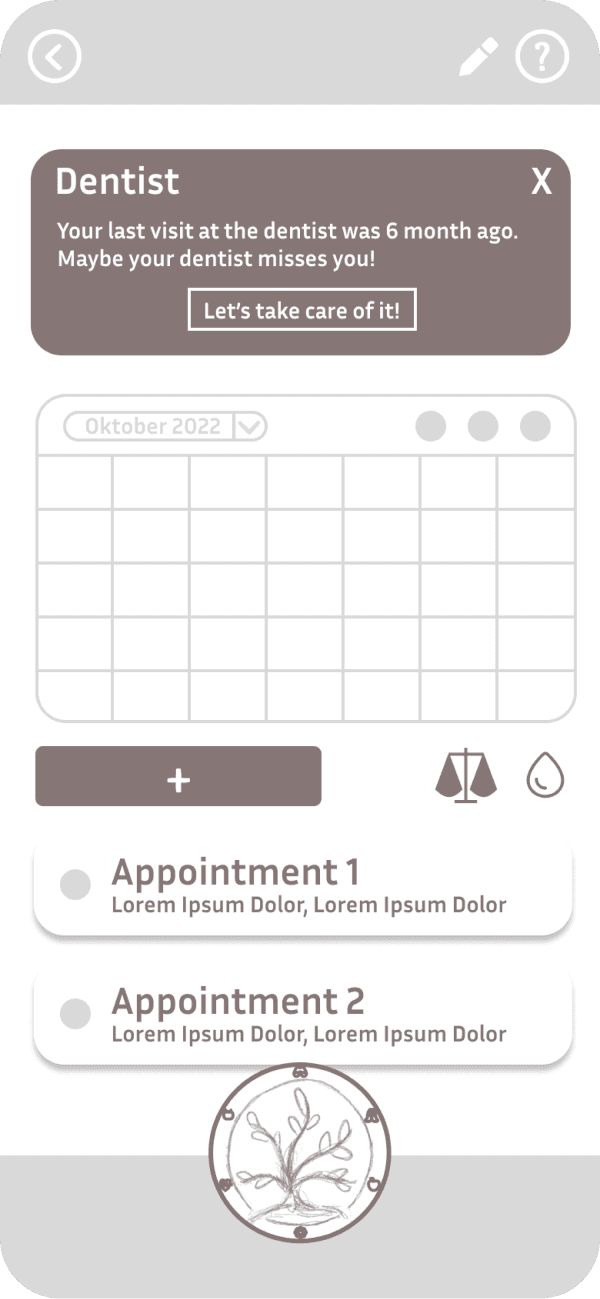
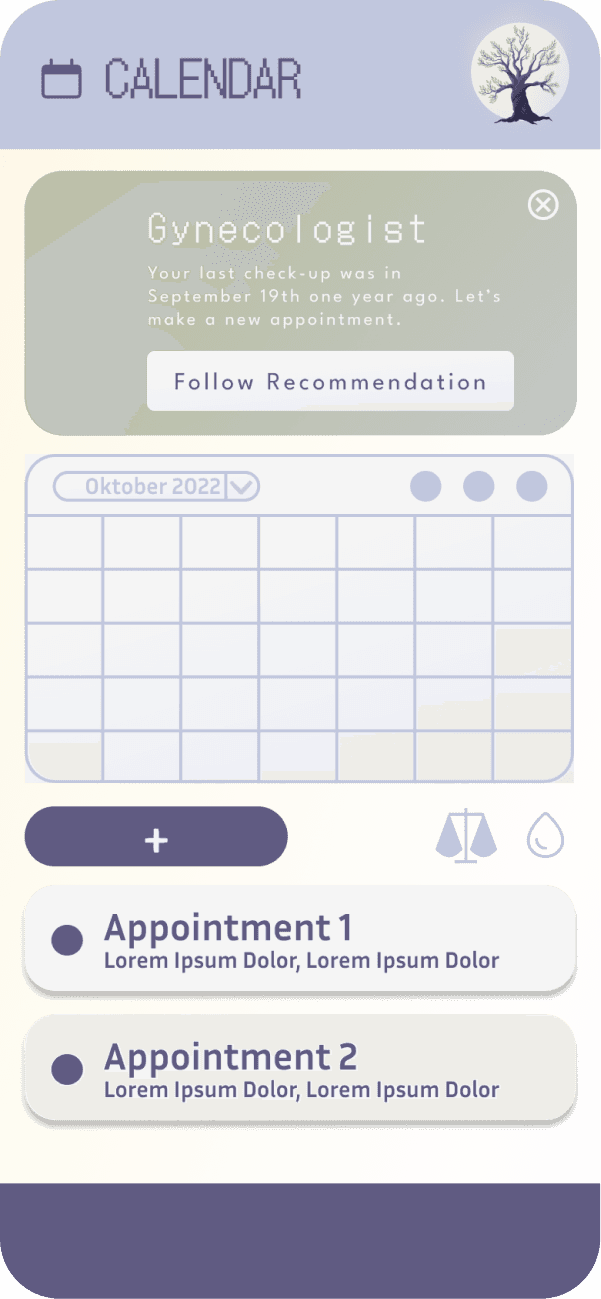
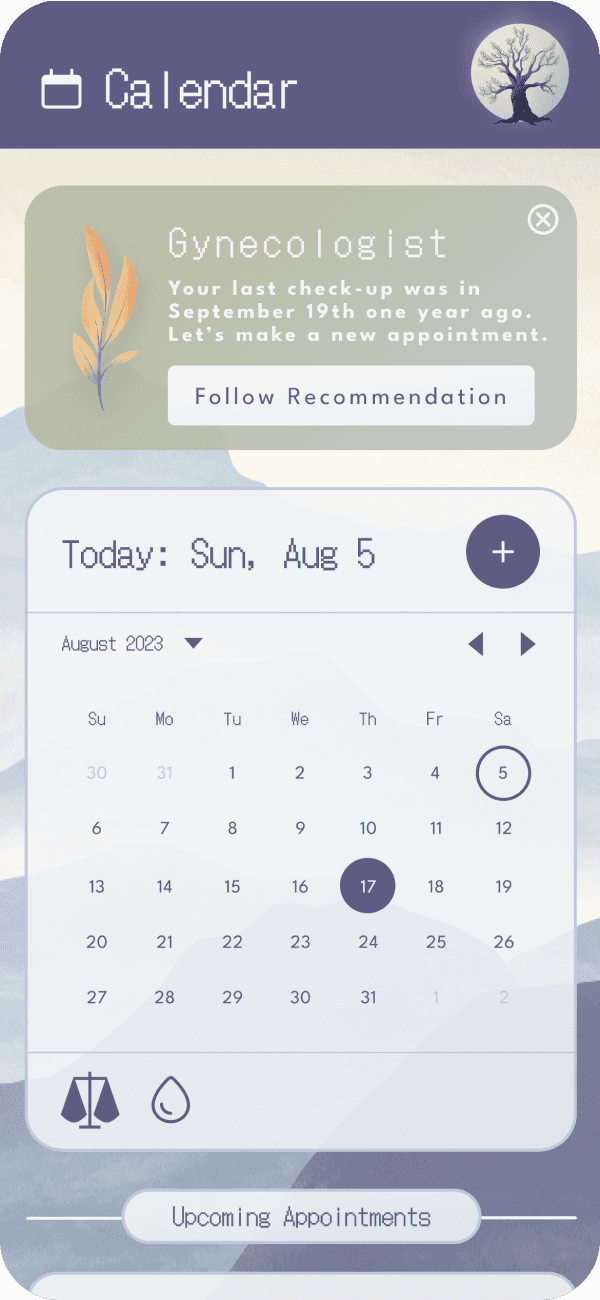
After
For the task to “follow a recommendation" my participants communicated insecurity about what actions need to be made.
As a solution for this issue, I redesigned the CTA button and also added clear language for the CTA.3 Redesigning the Education Header
Before
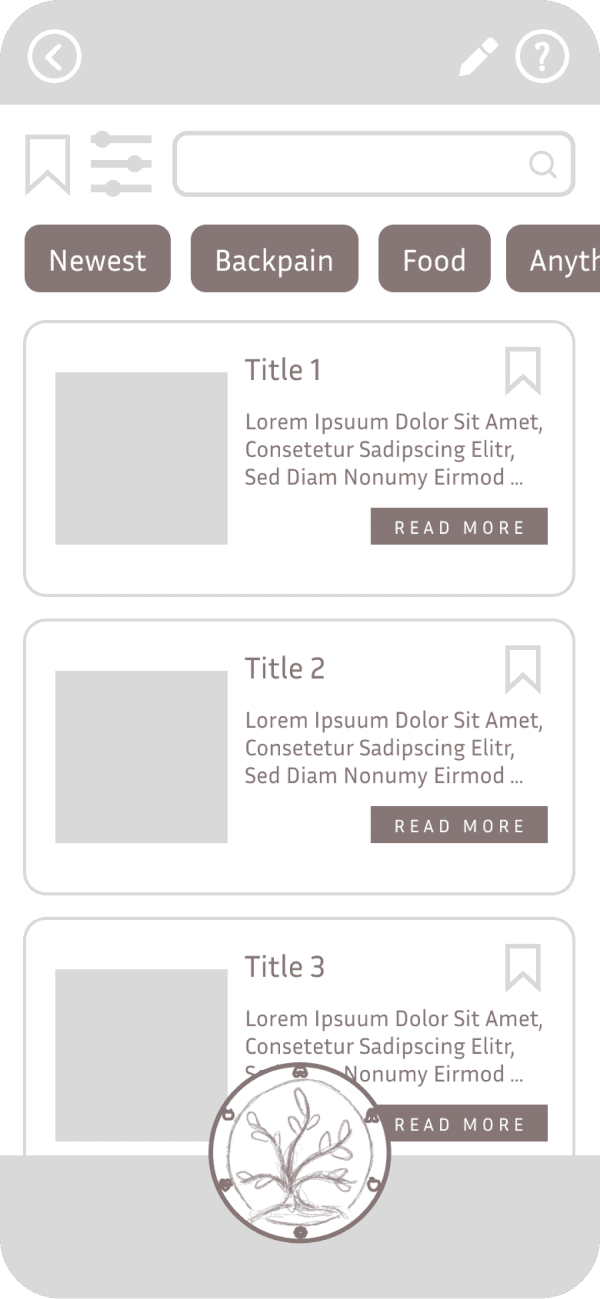
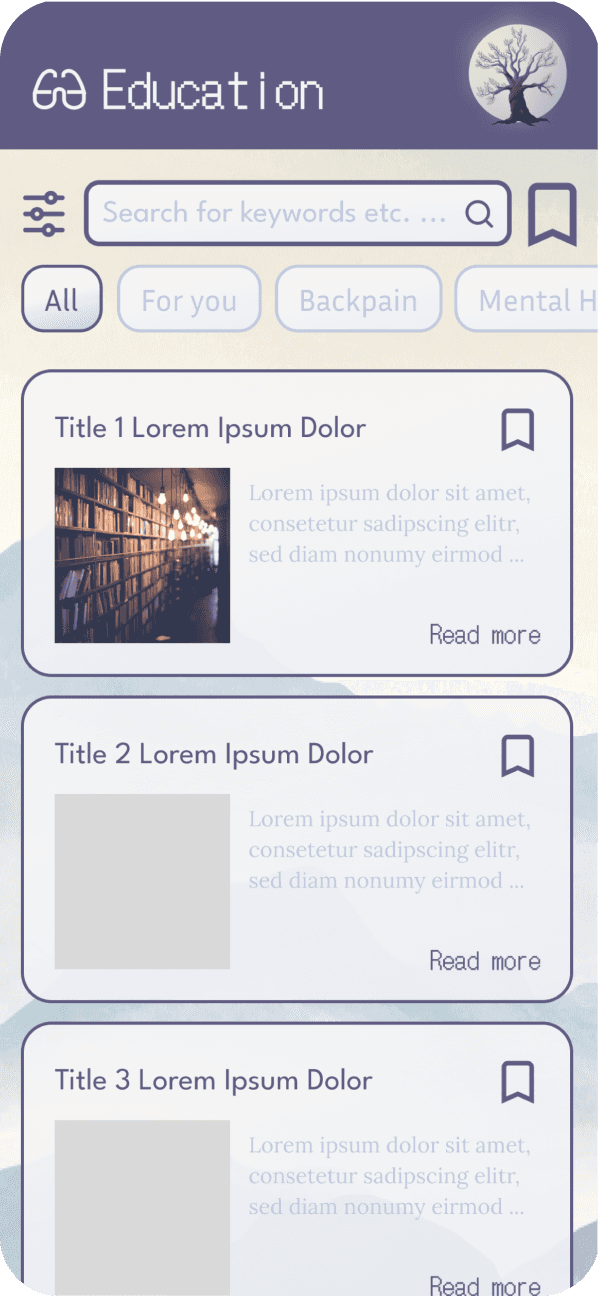
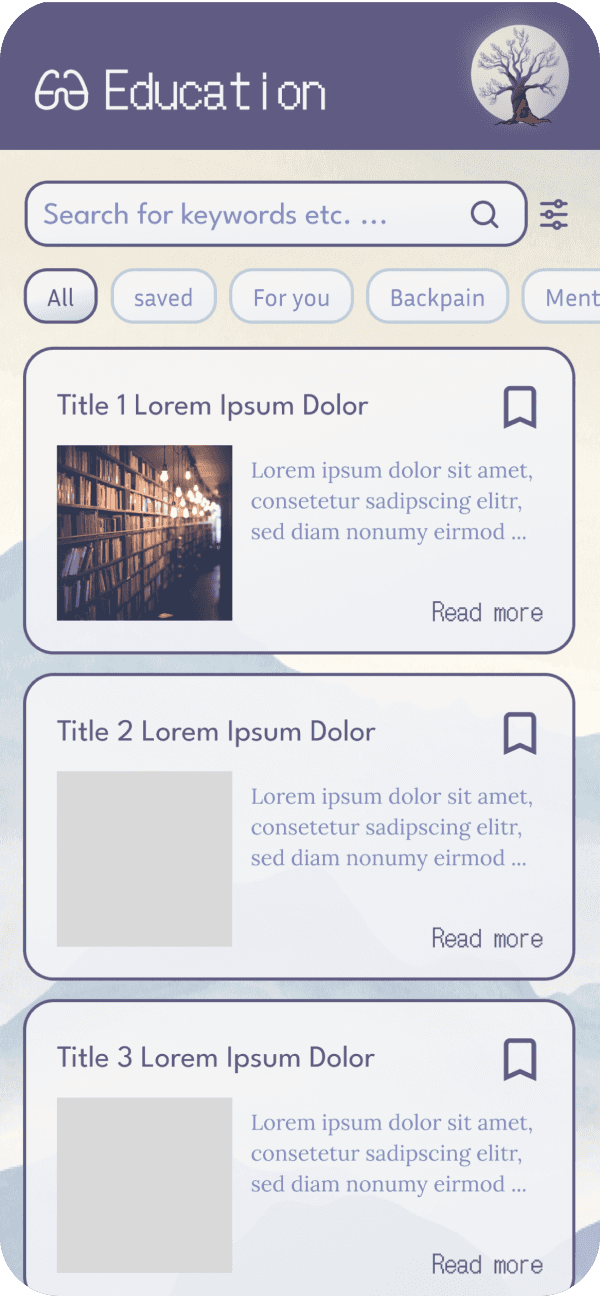
After
Participants were using firstly the category slide which shows popular topics to find special content.
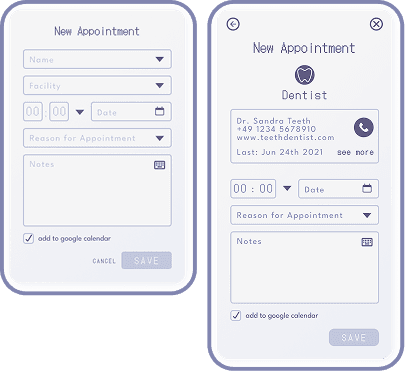
Even though this is not a problem, I decided to create a more equal color scheme with the search bar and the slide option. This showcases the hierarchy of this page better.4 Evolution of the Appointment Form
Before
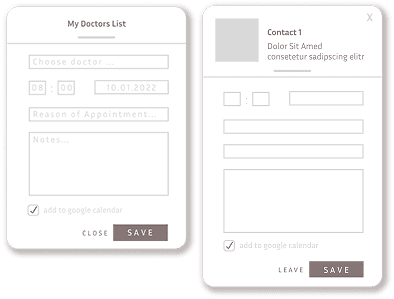
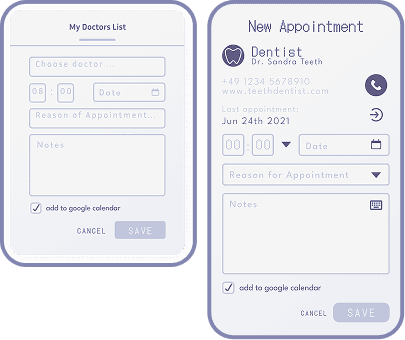
After
By adding Visual Design Principles, the guidelines of Material Design and Emotional Design, as well as grids and accessibility principles I evolved a clear and intuitive appointment form.
1 Reworking the Navigation Pattern
Before
After
One observation in the usability tests was the participants were looking for a home button in the heading of the screen. Therefore nearly all of the participants used a path with the back button to reach the home screen.
By bringing the actual home button to the head of the screen I went after the intuition of my participants.2 Reworking the CTA
Before
After
For the task to “follow a recommendation" my participants communicated insecurity about what actions need to be made.
As a solution for this issue, I redesigned the CTA button and also added clear language for the CTA.3 Redesigning the Education Header
Before
After
Participants were using firstly the category slide which shows popular topics to find special content.
Even though this is not a problem, I decided to create a more equal color scheme with the search bar and the slide option. This showcases the hierarchy of this page better.4 Evolution of the Appointment Form
Before
After
By adding Visual Design Principles, the guidelines of Material Design and Emotional Design, as well as grids and accessibility principles I evolved a clear and intuitive appointment form.
1 Reworking the Navigation Pattern
Before
After
One observation in the usability tests was the participants were looking for a home button in the heading of the screen. Therefore nearly all of the participants used a path with the back button to reach the home screen.
By bringing the actual home button to the head of the screen I went after the intuition of my participants.2 Reworking the CTA
Before
After
For the task to “follow a recommendation" my participants communicated insecurity about what actions need to be made.
As a solution for this issue, I redesigned the CTA button and also added clear language for the CTA.3 Redesigning the Education Header
Before
After
Participants were using firstly the category slide which shows popular topics to find special content.
Even though this is not a problem, I decided to create a more equal color scheme with the search bar and the slide option. This showcases the hierarchy of this page better.4 Evolution of the Appointment Form
Before
After
By adding Visual Design Principles, the guidelines of Material Design and Emotional Design, as well as grids and accessibility principles I evolved a clear and intuitive appointment form.
1 Reworking the Navigation Pattern
Before
After
One observation in the usability tests was the participants were looking for a home button in the heading of the screen. Therefore nearly all of the participants used a path with the back button to reach the home screen.
By bringing the actual home button to the head of the screen I went after the intuition of my participants.2 Reworking the CTA
Before
After
For the task to “follow a recommendation" my participants communicated insecurity about what actions need to be made.
As a solution for this issue, I redesigned the CTA button and also added clear language for the CTA.3 Redesigning the Education Header
Before
After
Participants were using firstly the category slide which shows popular topics to find special content.
Even though this is not a problem, I decided to create a more equal color scheme with the search bar and the slide option. This showcases the hierarchy of this page better.4 Evolution of the Appointment Form
Before
After
By adding Visual Design Principles, the guidelines of Material Design and Emotional Design, as well as grids and accessibility principles I evolved a clear and intuitive appointment form.
Final Design
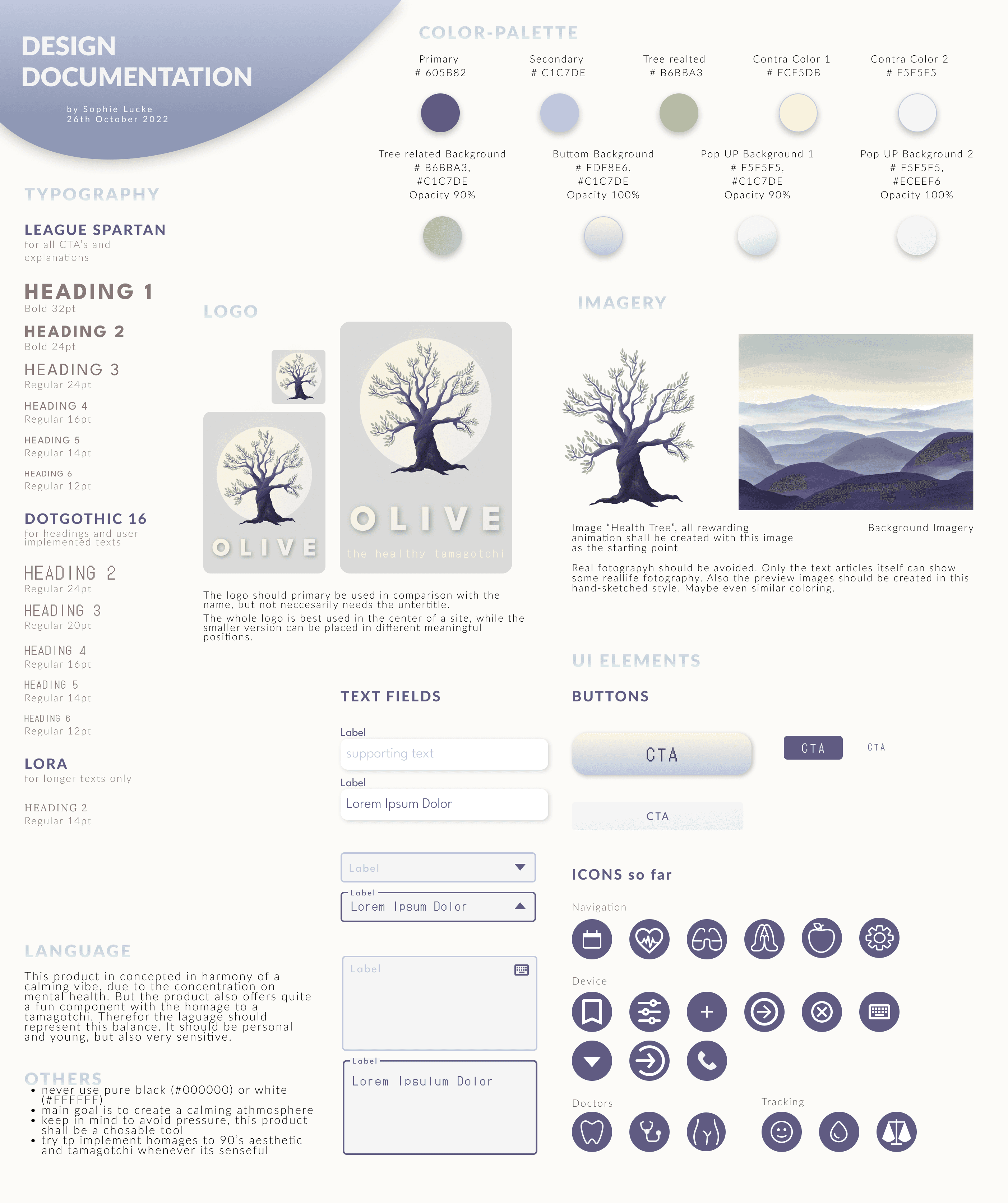
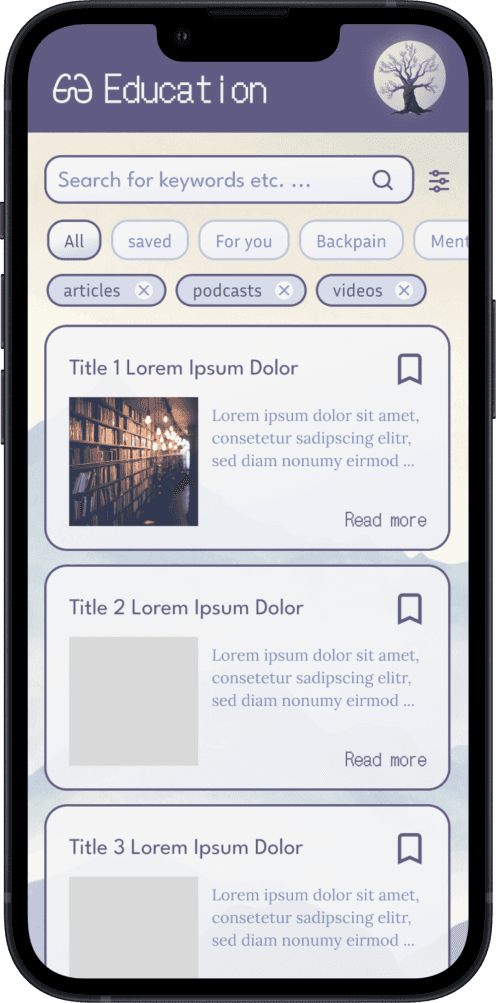
As Design Deliverables I was preparing:
1
Style Sheet
with following aspects
Typography
Color Palette
Logo in
Imagery
UI Elements
Language
and others
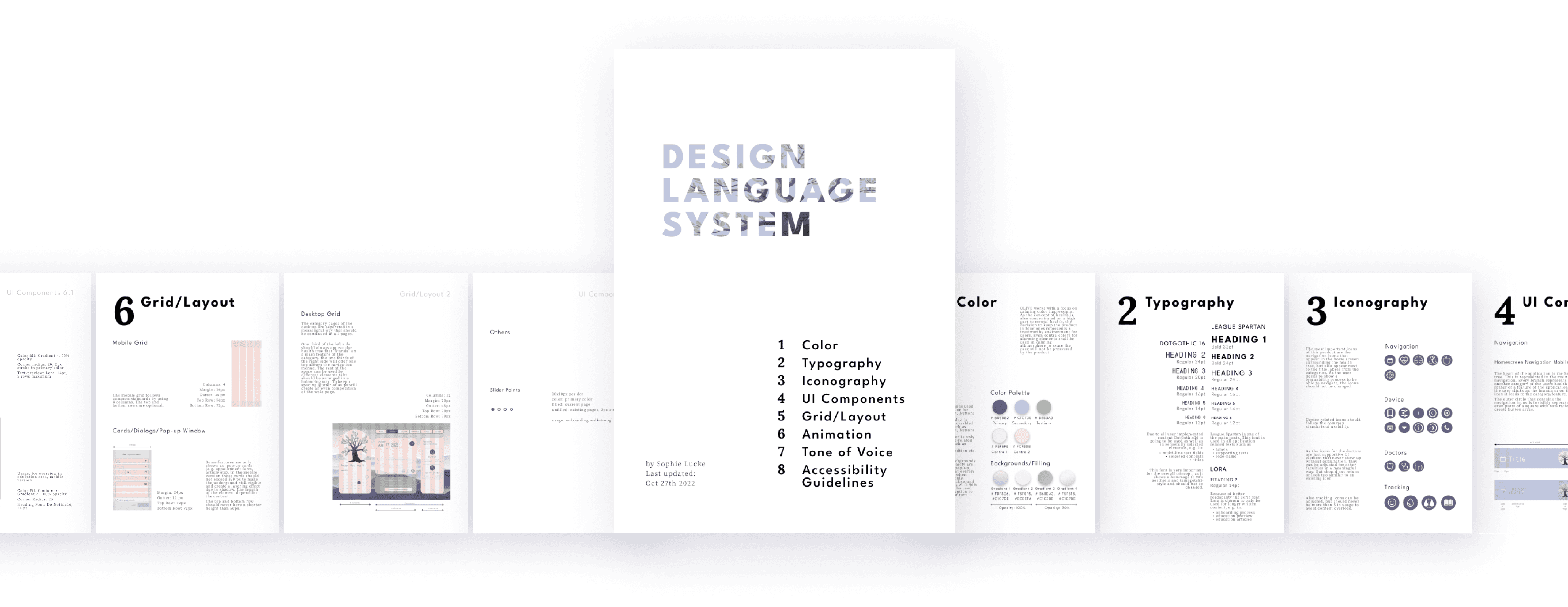
2
Design Language System
a precise document of … pages covers next to the topics of the style sheet:
Iconography
Grid/responsive Layout
Animation
full development guidelines of UI Elements
Accessibility Guidelines
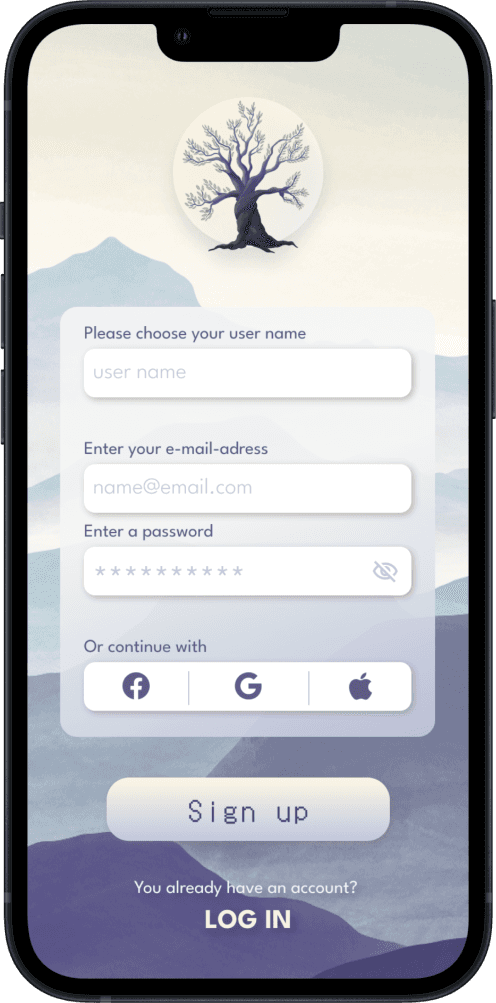
3
MVP
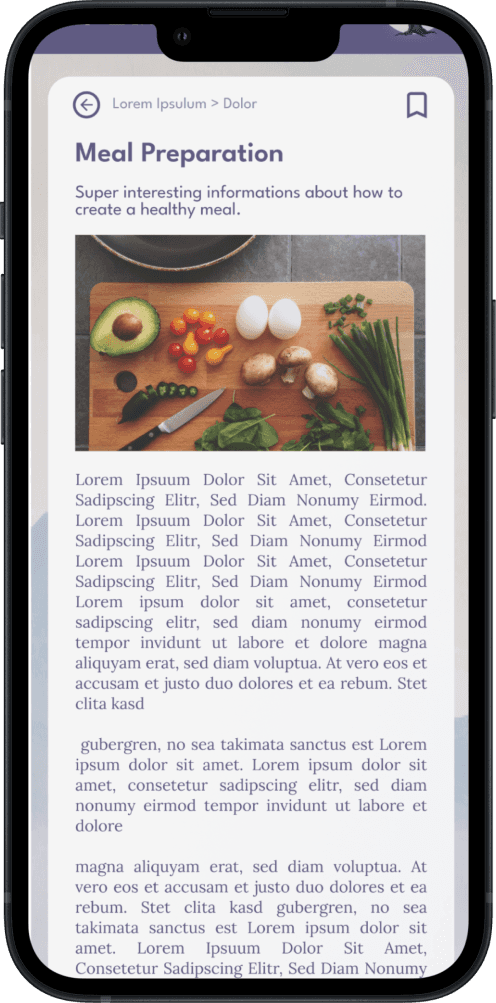
a high-fidelity interactive Prototype that includes all of the magic
Learnings
What I Learned
This project taught me how valuable emotional design is when working with a sensitive topic like health. A playful metaphor can make complex topics accessible without trivializing them.
I also learned how crucial early user insights are. They shaped almost every key decision, from navigation to tone to visual hierarchy.
What Comes Next
Before expanding further, the core product must be solidified. Future development could include:
fitness and medical sections
more appointment scenarios
medical tracking
meditation screens
Thinking Ahead
If Olive were to grow beyond its current scope, accessibility would be my main focus.
Different personas — including people with mental health conditions — could benefit from customizable trees, adjustable features, and adaptive recommendations.
Olive could start as a seedling, grow with the user, or offer alternate reward systems beyond animations.
The possibilities are endless — and that’s what makes this concept exciting.